

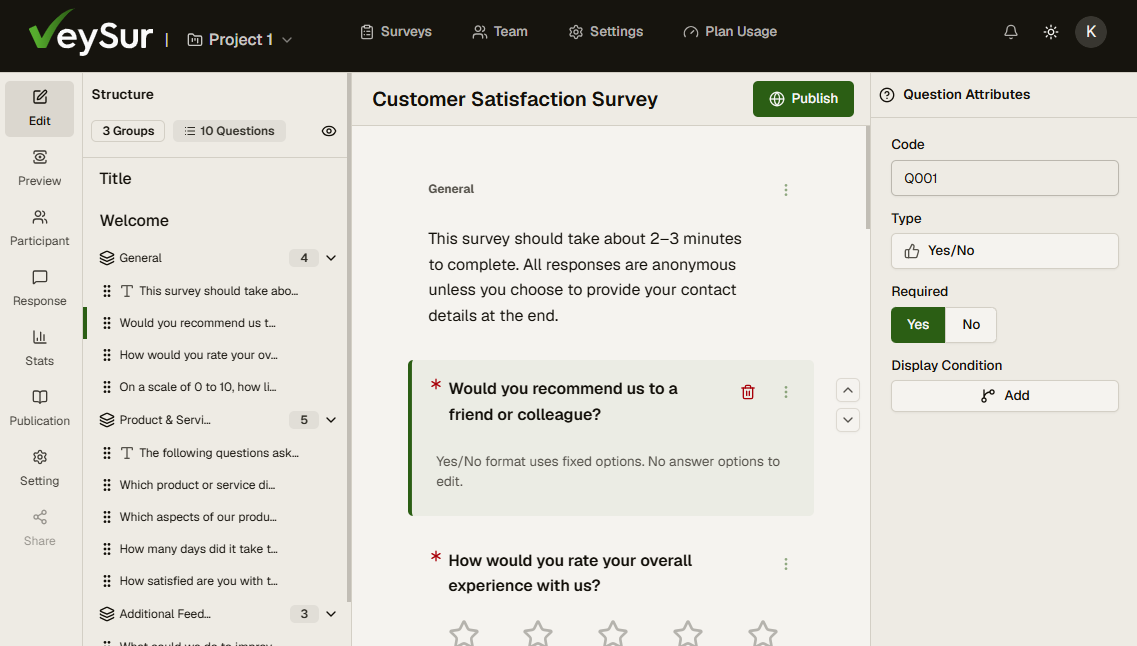
Last night I made the VeySur repository public. You can now download the software and run it on your own server, with the same survey editor and survey-taking app that the hosted service uses.
This is the same code that has been running the hosted service in production for the past few months, after more than a year of development. The release is numbered 0.9.0 because 1.0.0 will be the point where the configuration format and upgrade path are frozen and breaking changes follow semantic versioning. The software itself is in real use today.
Why I did it
When I wrote about EU data residency for research surveys, I spent most of the post on how to check a vendor’s claims. Writing it made something obvious. For some organisations, no claim is good enough. A university ethics board, a public body or a research team handling sensitive participant data may simply not be allowed to put that data on someone else’s service, however carefully it is run.
A hosted service cannot help those people. Software they can run themselves can. I would rather they had that option than went without a tool that suits them.
There is a second reason, which I wrote about in The work behind VeySur. I am asking people to trust software with their research, and I would like them to be able to check what it does. The full source is on GitHub. If you want to know where participant data goes, you can read the code instead of taking my word for it.
What you get
Installing is meant to be short. Download the release package, unpack it and run the installer.
Take veysur-<version>.tar.gz from the release’s Assets list, not the “Source code” archive that
GitHub adds to every release, which does not contain the installer:
wget https://github.com/veysur/veysur/releases/download/v0.10.1/veysur-0.10.1.tar.gz
tar -xzf veysur-0.10.1.tar.gz && cd veysur
./install.sh
The installer offers to install Docker if it is missing, then asks for your domain, TLS mode, administrator email and mail relay. It generates every secret and starts the stack with Docker Compose. Once it has finished, one more script creates the first account:
./scripts/admin-account-bootstrap.sh --email you@example.comEverything runs on one host: a web server, the API, a task manager, MySQL and Redis. Backup and restore are single scripts that write the databases, uploaded files and configuration to one archive, and restore it on a new server if you need to move. Uploaded files can live on local disk or on an S3-compatible service. Password resets and survey invitations go through the mail relay you configure.
There is no telemetry and nothing phones home. I will not know who is running it or how, which is a trade-off I accepted. It also means the software never sends data anywhere you did not tell it to.
You need about 3 GB of RAM, 10 GB of free disk, Docker, a domain name pointing at the server, ports 80 and 443 open, and an SMTP relay. The installation guide covers the rest.
The licence
VeySur is source-available under the Elastic License 2.0, the same licence Elastic uses for Elasticsearch and Kibana. It is a short, plain-English licence, and it fits what I wanted: the code is open to read, modify and run, and the hosted service stays viable. It is not an open-source licence in the OSI sense, which is why I call VeySur source-available.
In practice, you can read it, modify it, fork it and run it for your own organisation at any size, for free. The one thing it does not allow is offering VeySur to other people as a hosted or managed service. A consultant can install it for a client on a dedicated instance, as long as the client keeps their data. The licensing FAQ goes through the cases in more detail.
What self-hosting does not give you
Some of this is deliberate and some is simply where things stand today.
- A self-hosted installation holds a single project. The hosted service supports several.
- You do the updates, backups and monitoring. Only the latest release receives security fixes, so you will need to keep up with new versions.
- Encryption at rest is a feature of the hosted service. On your own server, use full-disk or volume encryption.
- Until 1.0.0, configuration options and the upgrade path may change between releases. The release notes will say when they do.
Which should you choose?
If your organisation’s rules require you to keep data on your own infrastructure, or you want to audit what runs, self-hosting is the right choice. If you would rather spend your time on the research than on patching a server, the hosted service does that work for you. Both run the same code, so the survey editor and survey-taking app behave the same way.
Try it
The release is on GitHub, and the
self-hosting guide is in the documentation.
If something fails to install or a step in the guide is unclear, please open an issue on
GitHub. Reports from people running it on their own servers will shape what goes into 1.0.0.
Contributions are welcome too, once you have read CONTRIBUTING.md and signed the CLA.